
Heroes Of Might And Magic 5
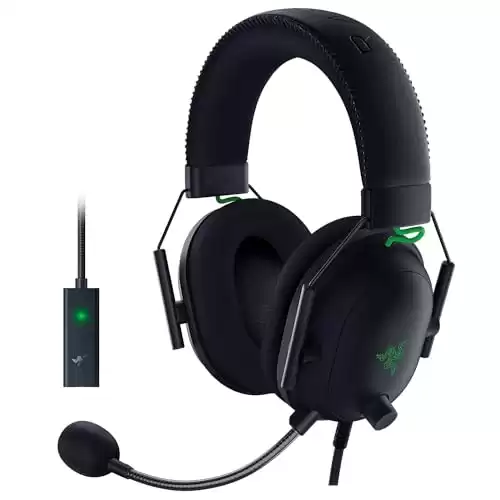
- Compatible across virtually all gaming platforms and devices
- An unmatched, immersive gameplay experience (THX 7.1 surround sound capable, detachable mic, and more)
- Gel padding is incredibly comfortable across a wide range of head sizes
Cheat Codes
- Compatible across virtually all gaming platforms and devices
- An unmatched, immersive gameplay experience (THX 7.1 surround sound capable, detachable mic, and more)
- Gel padding is incredibly comfortable across a wide range of head sizes
Note: This procedure involves editing a game file; create a backup copy of the file before proceeding. Use a text editor to edit the “autoexec.cfg” file in the “/heroes of might and magic v/profiles/” directory. Add the following line to the end of the file:
- setvar dev_console_password = schwinge-des-todes
While playing the game, press ~ to display the console window. Type one of the following case-sensitive codes at the console window and press [Enter] to activate the corresponding cheat function:
| Result | Cheat Code |
| Fill hero army with creatures from indicated town [Note] | add_army town [town number] [0 or 1] |
| Add skill points | add_skill [skill name] |
| Add indicated experience to selected hero | add_exp [number] |
| Selected hero has all spells | add_all_spells |
| Set luck and morale for selected hero | set_hero_luck_morale [luck number] [morale number] |
| Set all resources to 0 | clear_money |
| Set gold quantity | add_gold [number] |
| Get indicated number of resources | add_money [number] |
| Display indicated player’s resources | show_player_money [player number] |
| Display selected hero’s movement points | show_hero_mp |
| Win current mission | @win() |
| Lose current mission | @loose() |
Note: A value of 1 will add upgraded creatures.
Town names and numbers
Use one of the following values with the ” add_army town [town number] [0 or 1]” code:
- Heaven or 0
Preserve or 1
Academy or 2
Dungeon or 3
Necro or 4
Inferno or 5
Skill names and numbers
Use one of the following values with the ” add_skill [skill name]” code:
- Compatible across virtually all gaming platforms and devices
- An unmatched, immersive gameplay experience (THX 7.1 surround sound capable, detachable mic, and more)
- Gel padding is incredibly comfortable across a wide range of head sizes
- logistics or 1
war_machines or 2
learning or 3
leadership or 4
luck or 5
offence or 6
defence or 7
sorcery or 8
destructive_magic or 9
dark_magic or 10
light_magic or 11
summoning_magic or 12
training or 13
gating or 14
necromancy or 15
avenger or 16
artificier or 17
invocation or 18
pathfinding or 19
scouting or 20
navigation or 21
first_aid or 22
ballista or 23
catapult or 24
intelligence or 25
scholar or 26
eagle_eye or 27
recruitment or 28
estates or 29
diplomacy or 30
resistance or 31
lucky_strike or 32
fortunate_adventurer or 33
tactics or 34
archery or 35
frenzy or 36
protection or 37
evasion or 38
toughness or 39
mysticism or 40
wisdom or 41
arcane_training or 42
master_of_ice or 43
master_of_fire or 44
master_of_lightnings or 45
master_of_curses or 46
master_of_mind or 47
master_of_sickness or 48
master_of_blessing or 49
master_of_abjuration or 50
master_of_wrath or 51
master_of_quakes or 52
master_of_creatures or 53
master_of_animation or 54
holy_charge or 55
prayer or 56
expert_trainer or 57
consume_corpse or 58
demonic_fire or 59
demonic_strike or 60
raise_archers or 61
no_rest_for_the_wicked or 62
death_scream or 63
multishot or 64
snipe_dead or 65
imbue_arrow or 66
magic_bond or 67
melt_artifact or 68
magic_mirror or 69
empowered_spells or 70
dark_ritual or 71
elemental_vision or 72
road_home or 73
triple_ballista or 74
encourage or 75
retribution or 76
hold_ground or 77
guardian_angel or 78
student_award or 79
grail_vision or 80
caster_certificate or 81
ancient_smithy or 82
pariah or 83
elemental_balance or 84
absolute_charge or 85
quick_gating or 86
master_of_secrets or 87
triple_catapult or 88
gating_mastery or 89
critical_gating or 90
critical_strike or 91
demonic_retaliation or 92
exploding_corpses or 93
demonic_flame or 94
weakening_strike or 95
fire_protection or 96
fire_affinity or 97
absolute_gating or 98
death_tread or 99
last_aid or 100
lord_of_undead or 101
herald_of_death or 102
dead_luck or 103
chilling_steel or 104
chilling_bones or 105
spellproof_bones or 106
deadly_cold or 107
spirit_link or 108
twilight or 109
haunt_mine or 110
absolute_fear or 111
disguise_and_reckon or 112
imbue_ballista or 113
cunning_of_the_woods or 114
forest_guard_emblem or 115
elven_luck or 116
forest_rage or 117
last_stand or 118
insights or 119
sun_fire or 120
soil_burn or 121
storm_wind or 122
fog_veil or 123
absolute_luck or 124
march_of_the_machines or 125
remote_control or 126
academy_award or 127
artificial_glory or 128
spoils_of_war or 129
wildfire or 130
seal_of_protection or 131
counterspell or 132
magic_cushion or 133
supress_dark or 134
supress_light or 135
unsummon or 136
absolute_wizardy or 137
teleport_assault or 138
shake_ground or 139
dark_revelation or 140
fast_and_furious or 141
lucky_spells or 142
power_of_haste or 143
power_of_stone or 144
chaotic_spells or 145
secrets_of_destruction or 146
payback or 147
elite_casters or 148
elemental_overkill or 149
absolute_chains or 150